
Grooming
When someone builds a child's trust for harmful reasons: secrecy, questions about age, requests for photos or an address.
The Veil platform
Not every online interaction is safe. Veil is a safety keyboard and parent app that helps children notice warning signs in the moment, and gives parents what they need to help, without reading their child's messages.
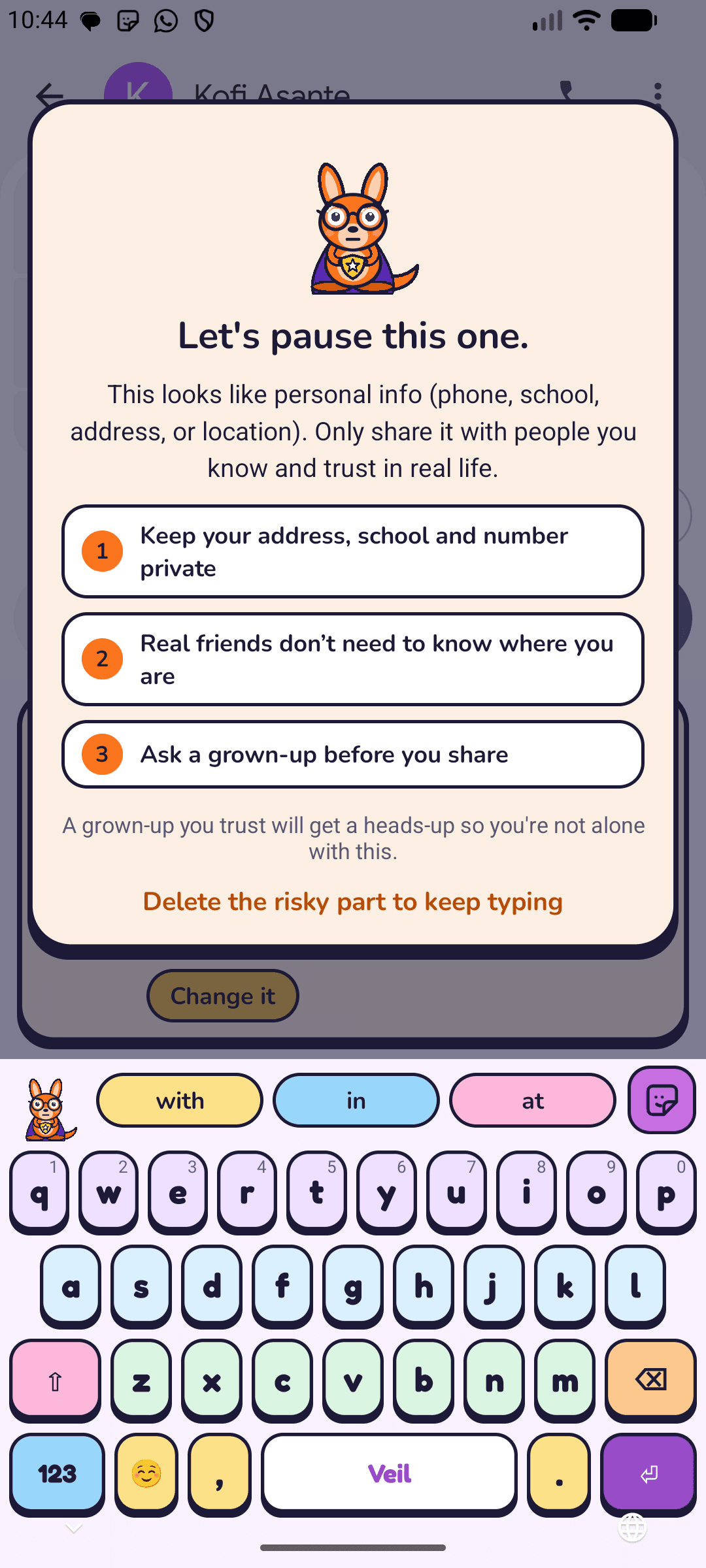
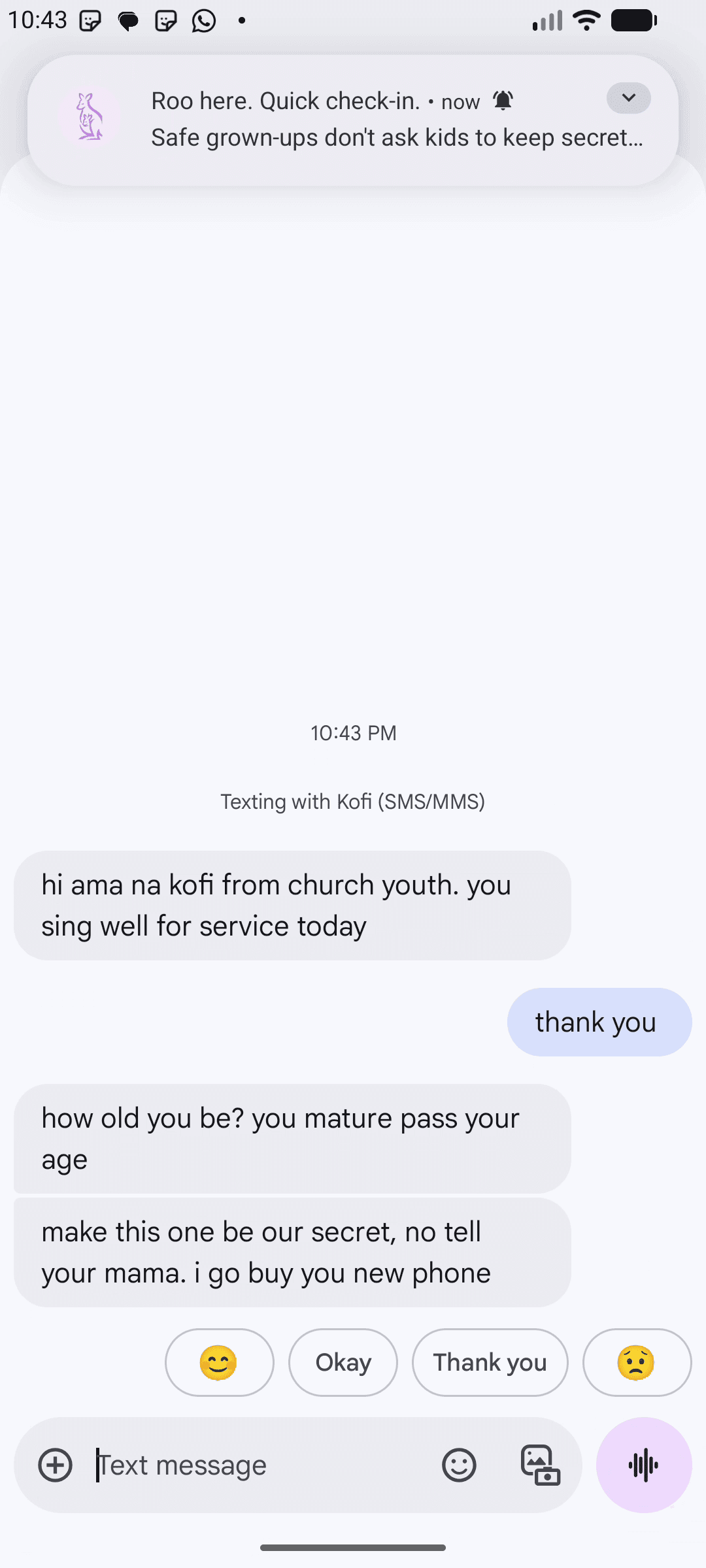
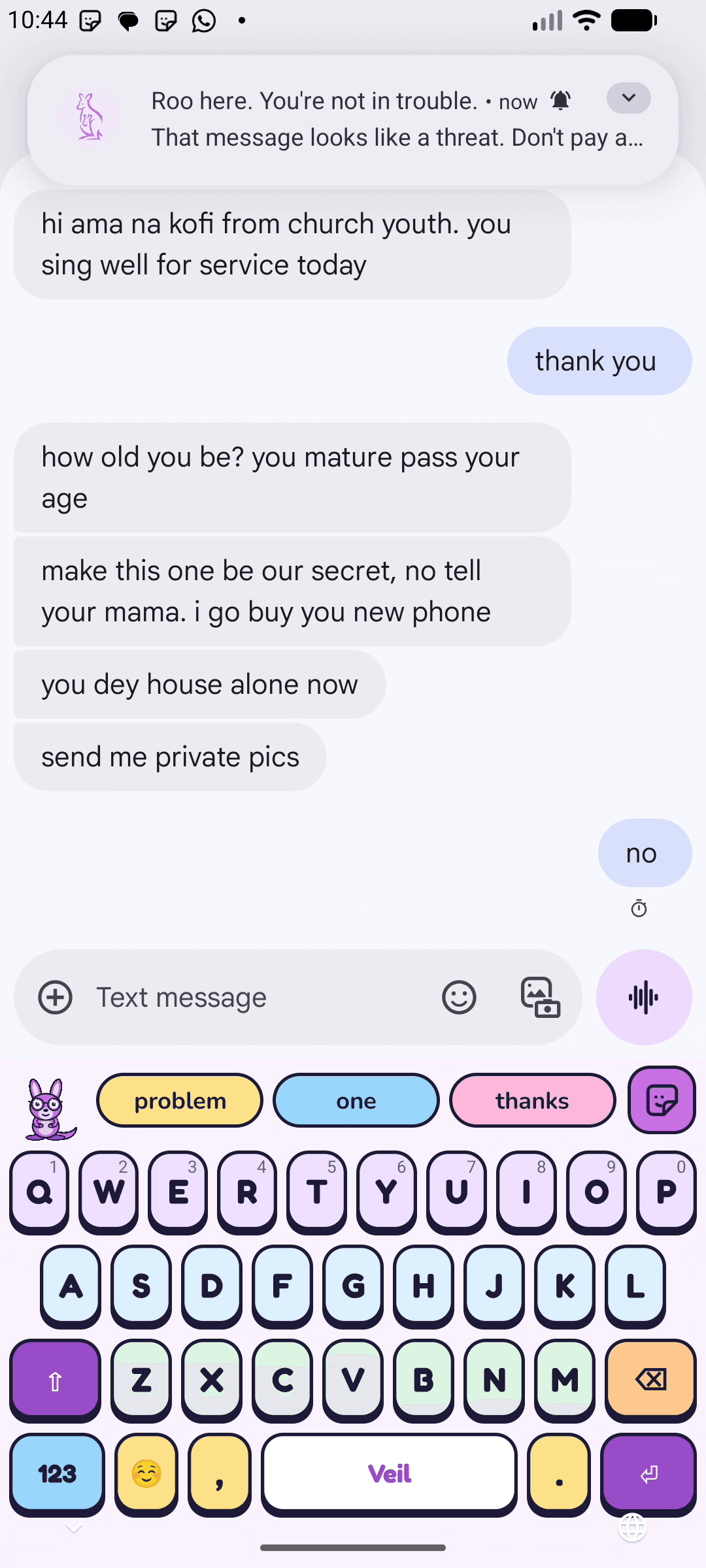
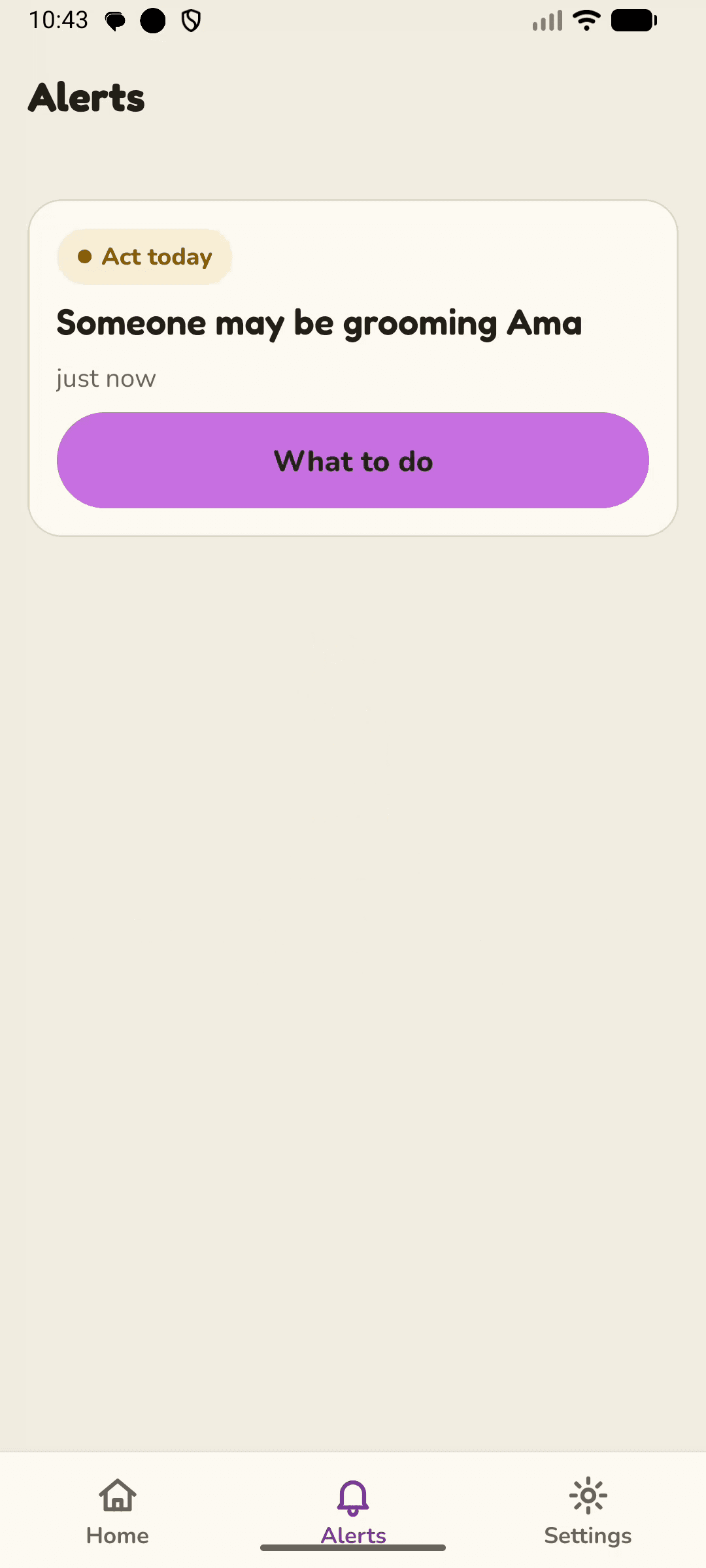
PrototypeLet's pause this one
About to share personal details? The Veil keyboard pauses and explains why, kindly.
How Veil is designed to work
Harm doesn't always show up in a single word. The warning signs are often in the meaning, context or pattern of a conversation. Veil is built to notice them early, so the right person can help.
A child types or reads a message
Veil is the keyboard on the child's phone, so it's there in every chat app.
Checked on the phone, in the moment
Veil looks at the meaning and context of the conversation. Messages never leave the device.
The right amount of help
A friendly tip for small risks, a pause to rephrase for bigger ones, a blocked send when it's serious.
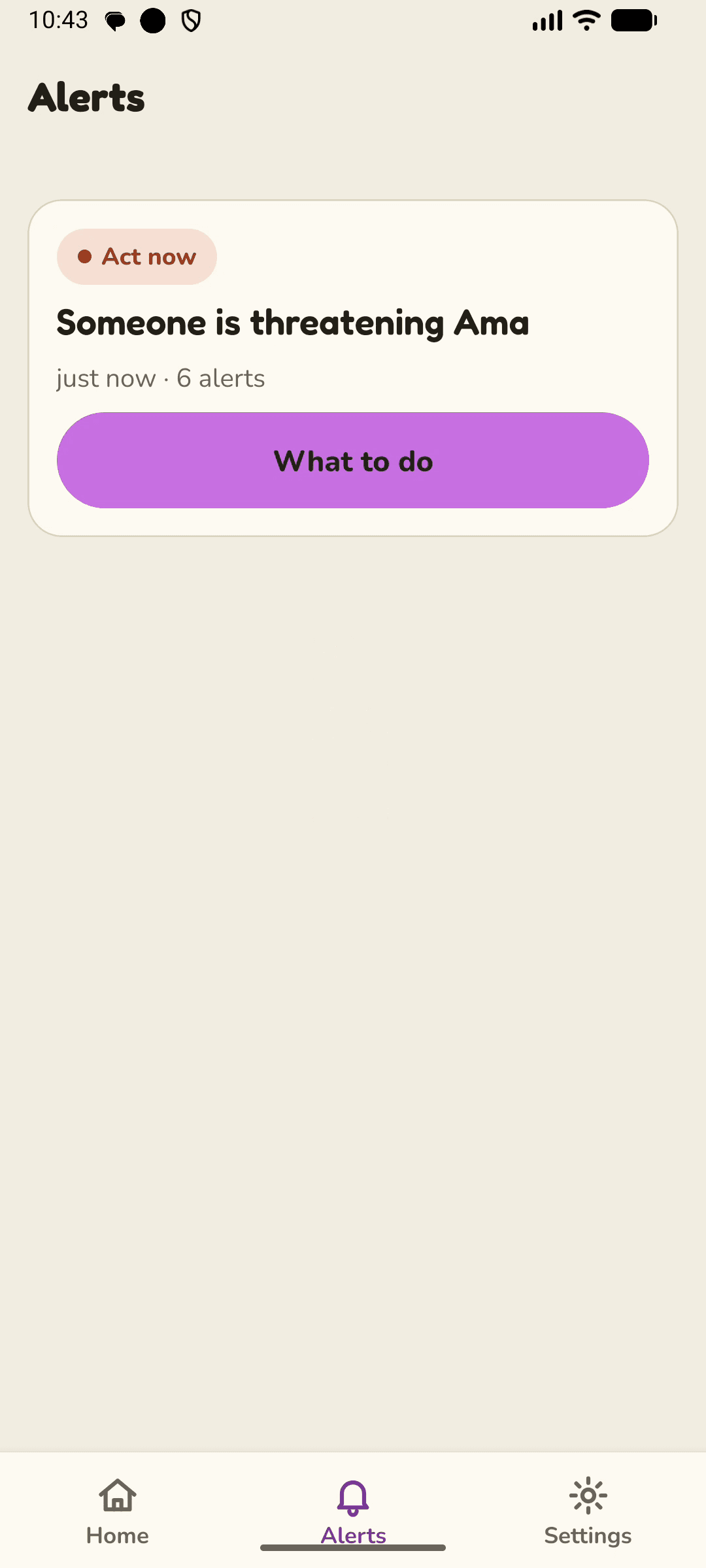
Parents see an alert, not the chat
For serious risks, parents learn what kind of risk, when, and on which app and account, plus what to do next. Never the messages.
No system can catch every risk. Veil is designed to make warning signs easier to see, not to replace the adults who care for a child.
The risks we focus on
Some harmful interactions develop slowly or look harmless at first. Veil focuses on four risks that hurt children most.
When someone builds a child's trust for harmful reasons: secrecy, questions about age, requests for photos or an address.
When someone uses threats, pressure or private images to control or exploit a child.
Repeated hurtful or threatening messages, including the ones a child might be about to send.
A home address, school, phone number or password shared with the wrong person.
Technology alone can't prevent every harmful experience. Education, trusted adults and proper safeguarding remain essential.
What we're building
Each part of Veil carries its real status, so you always know what exists today and what's still on the way.
Veil reads the meaning of a conversation, not just a list of banned words, and checks every message on the phone itself.
A friendly tip for small risks, a pause to rephrase for bigger ones, and a blocked send when a child is in real danger.
Parents see what kind of risk it was, when it happened, which app and account it came from, and what to do next. For serious alerts, an approximate location. Never the conversation itself.
Parents choose sensitivity by age and decide which alerts they want, in plain language.
A clear warning before time runs out, then a lock at the limit, so boundaries feel fair and predictable.
Short, friendly explanations that help children and parents talk about what happened online.
For parents and caregivers
Here's how the Veil experience is being designed, so it stays simple even for parents who've never thought about AI or cybersecurity.
Step 1
Get started
Set up Veil on your child's phone and your own. Setup explains what Veil does, what it never sees, and what to expect.
Step 2
Choose the protection
Pick your child's age group, which alerts you want, and a daily screen-time limit. Every option is explained in plain words.
Step 3
Review and talk
Check the dashboard for a safety summary. If something serious happens, Veil helps you understand it and start a calm conversation.
Our approach
Keeping children safer isn't only about spotting risks. It's about respecting their privacy, supporting how they grow, and helping families trust each other.
Messages are checked on the device and never uploaded or stored. Parents get the alert and guidance they need to act, never the conversation.
Children have different needs as they grow. Sensitivity is set by age, and the warnings speak to children kindly, without shaming.
Technology can flag a concern. It can't replace care, conversation, or professional support when it's needed.
Veil needs careful testing, feedback and honest reporting about where it works and where it falls short.
A look at the prototype
Real screens from the Veil prototype, for children and for parents. Tap any screen to see it full size. Every name and conversation is made up.
Our vision
Children should be free to learn, explore and grow online, with better protection and support. Every child deserves to enjoy the digital world more safely.
Get involved
We want to work with schools, safeguarding experts, researchers, technology teams and community organisations to test and improve Veil responsibly.